
For customers using Nihon SIM on Android devices, some models may not show a signal after inserting the SIM card, or may show a signal but fail to connect to the internet. If this happens, please check whether the device imported the APN settings automatically. If it was not imported automatically, you can set it up manually as follows.
APN Information
| Name | au |
| APN | uad5gn.au-net.ne.jp |
| Username | au@uad5gn.au-net.ne.jp |
| PW | au |
| Type | CHAP |
How to Set Up APN
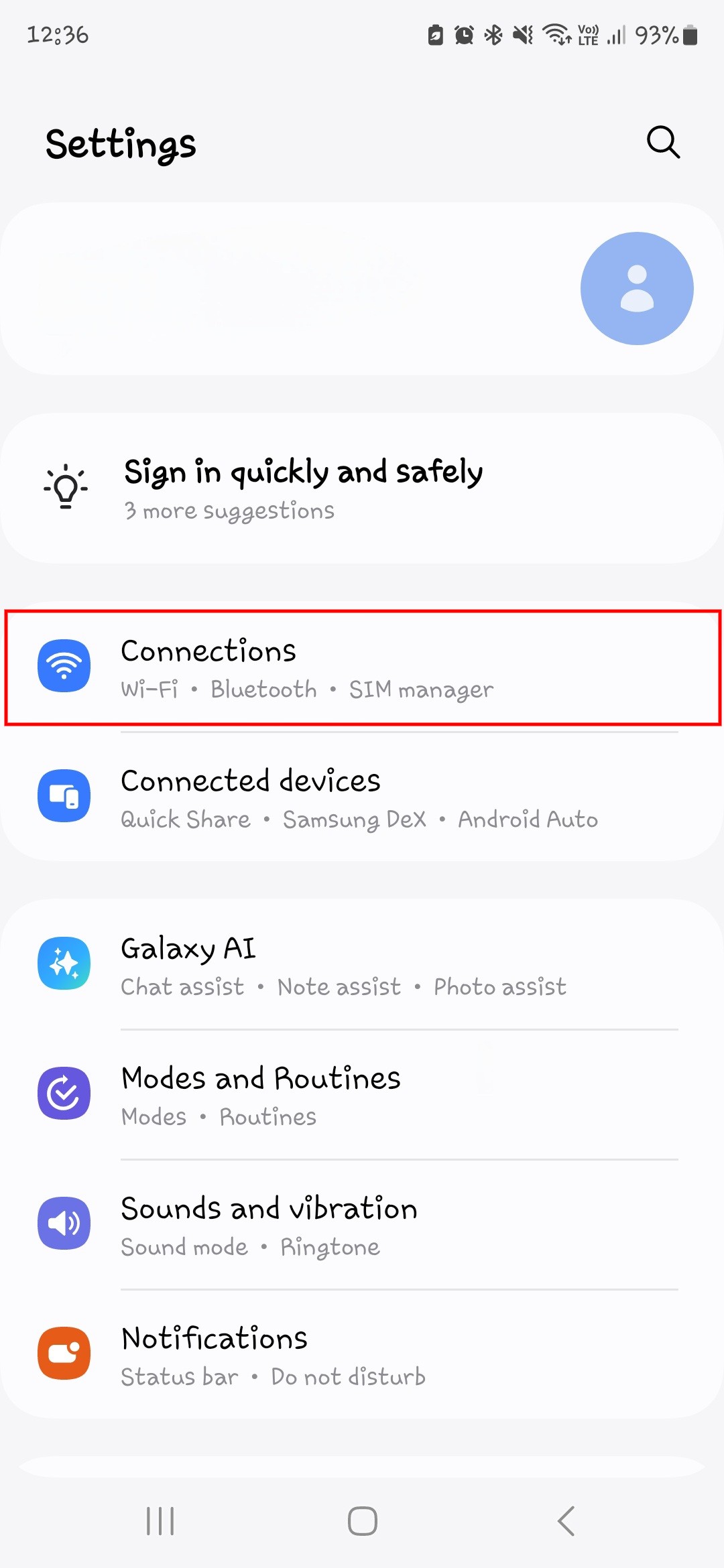
1. After inserting the SIM card, open the Settings menu, then tap Connections.
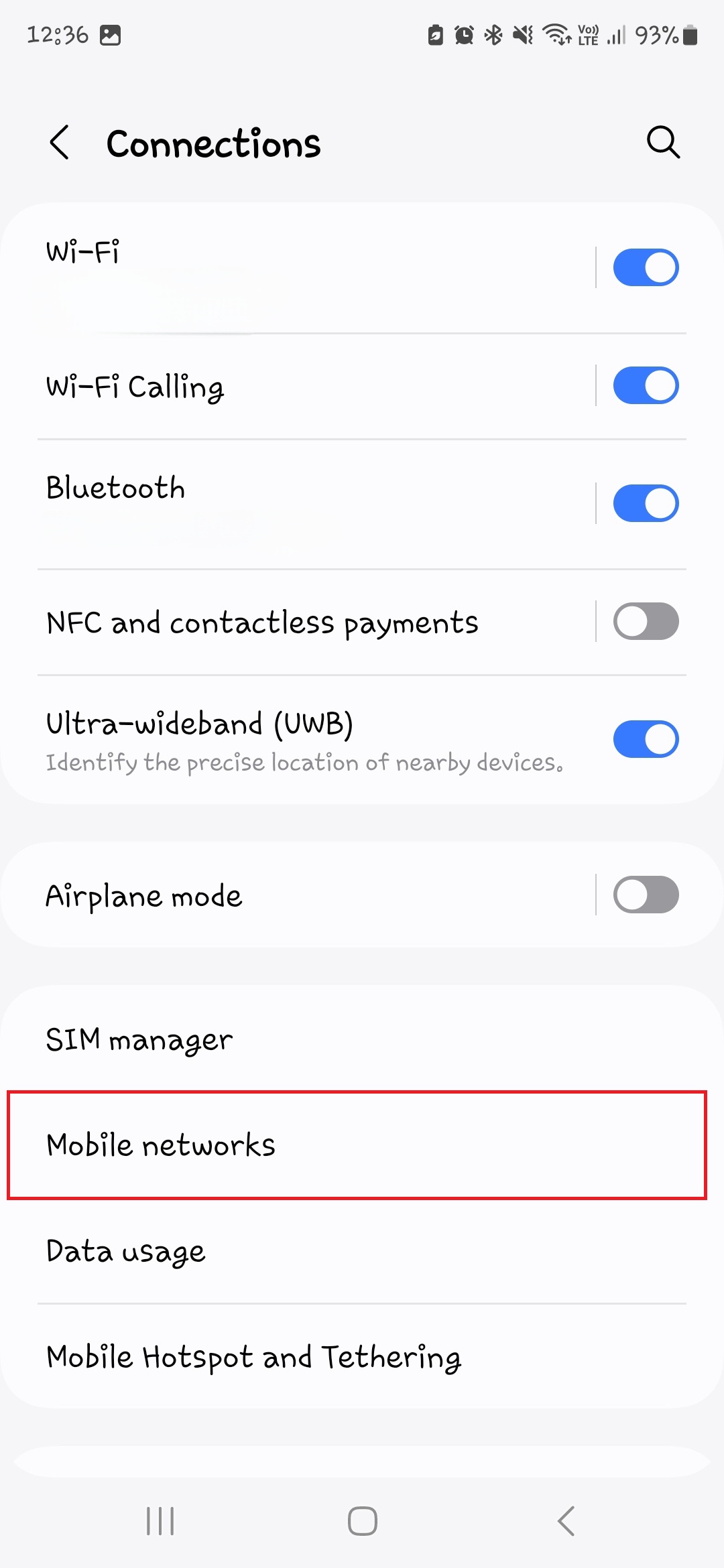
2. Tap Mobile Networks.
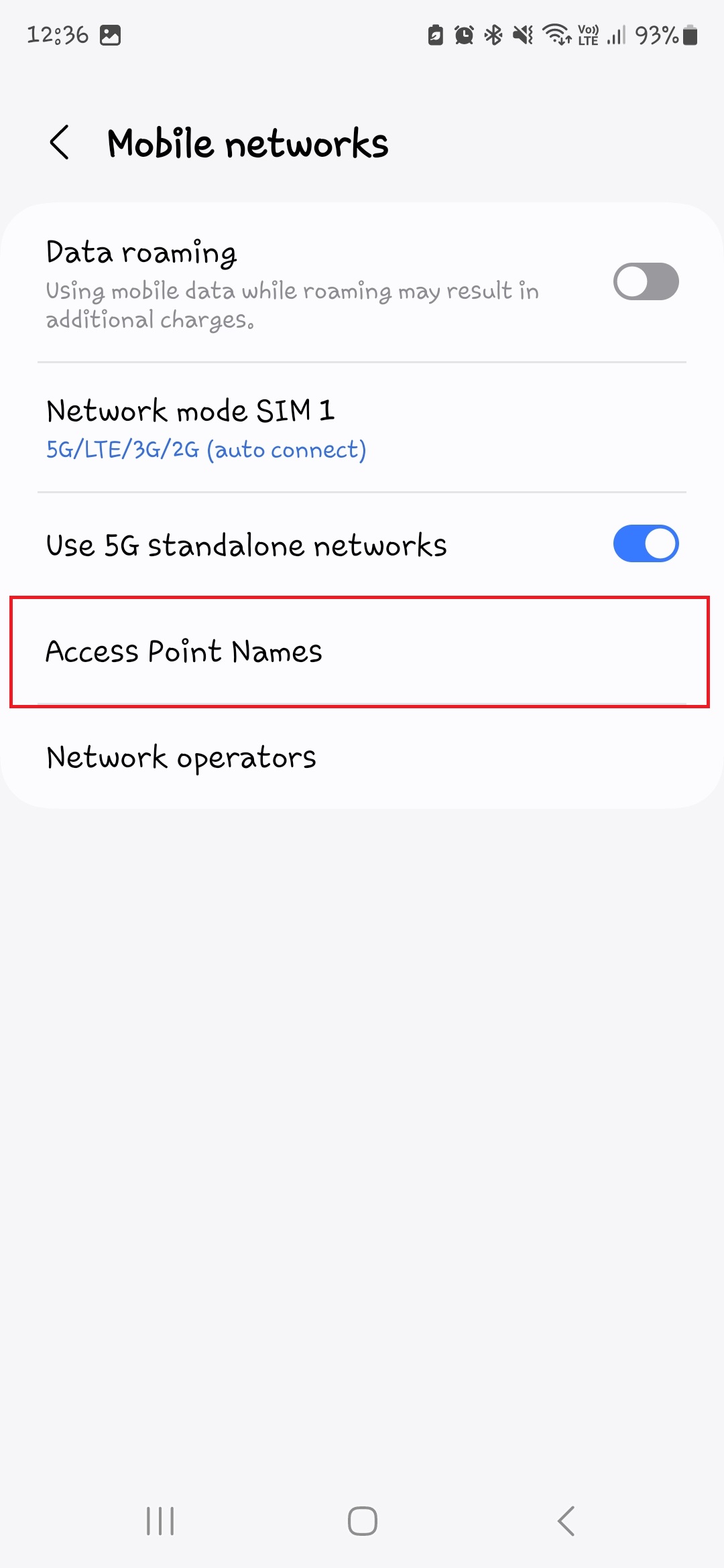
3. Tap Access Point Names and select the SIM you want to configure.
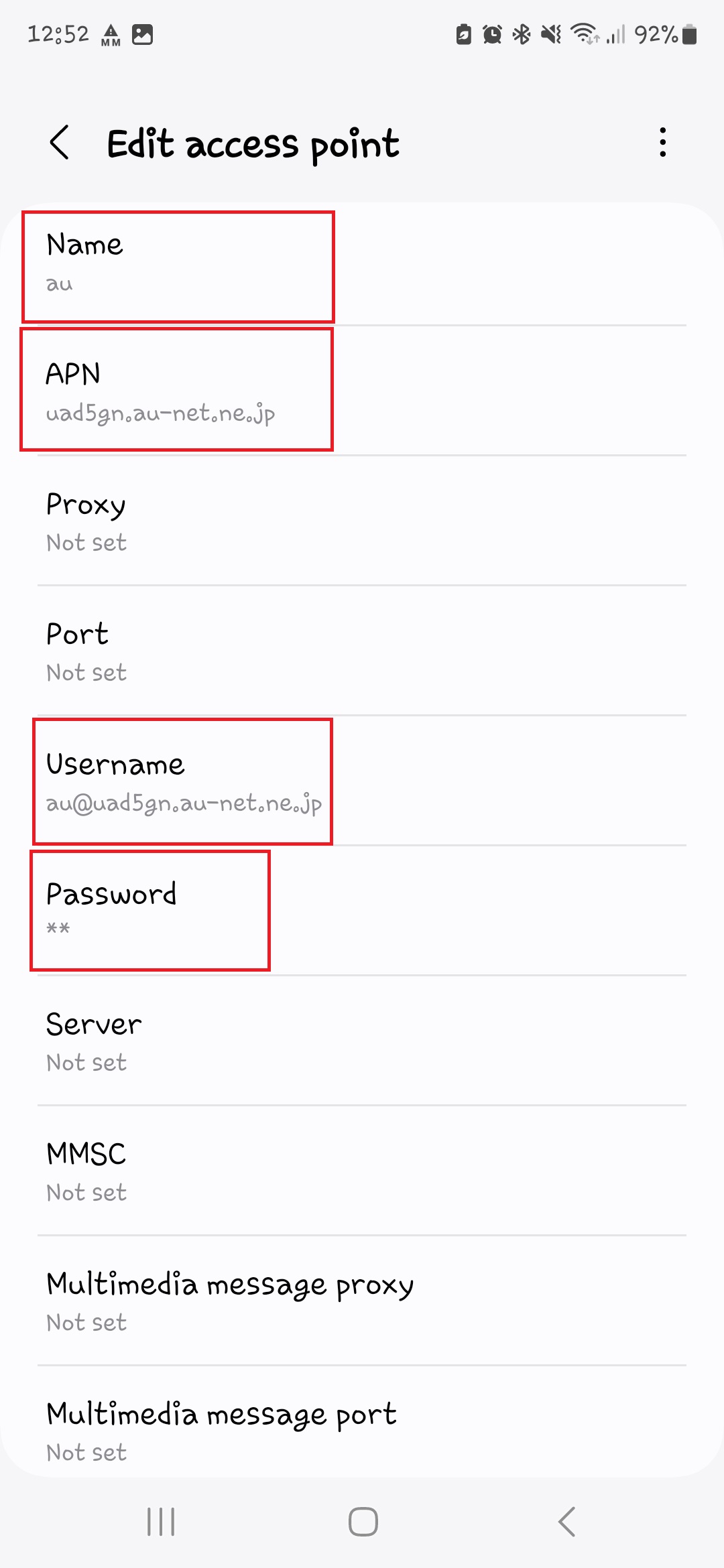
4. Tap Add APN and enter the APN information from the table above.
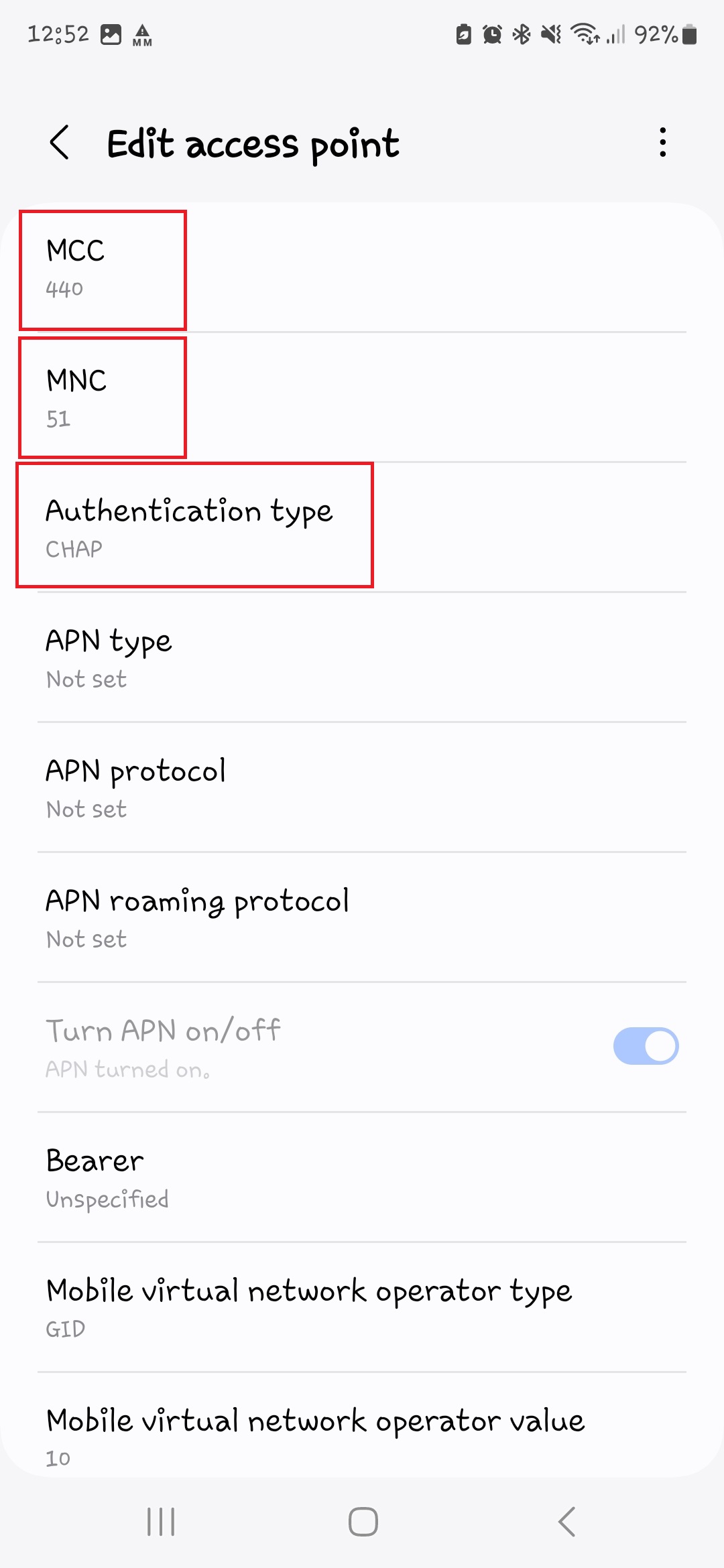
5. Make sure the MCC and MNC values are set to 440 and 51 respectively — these may default to different values when configured from Thailand.
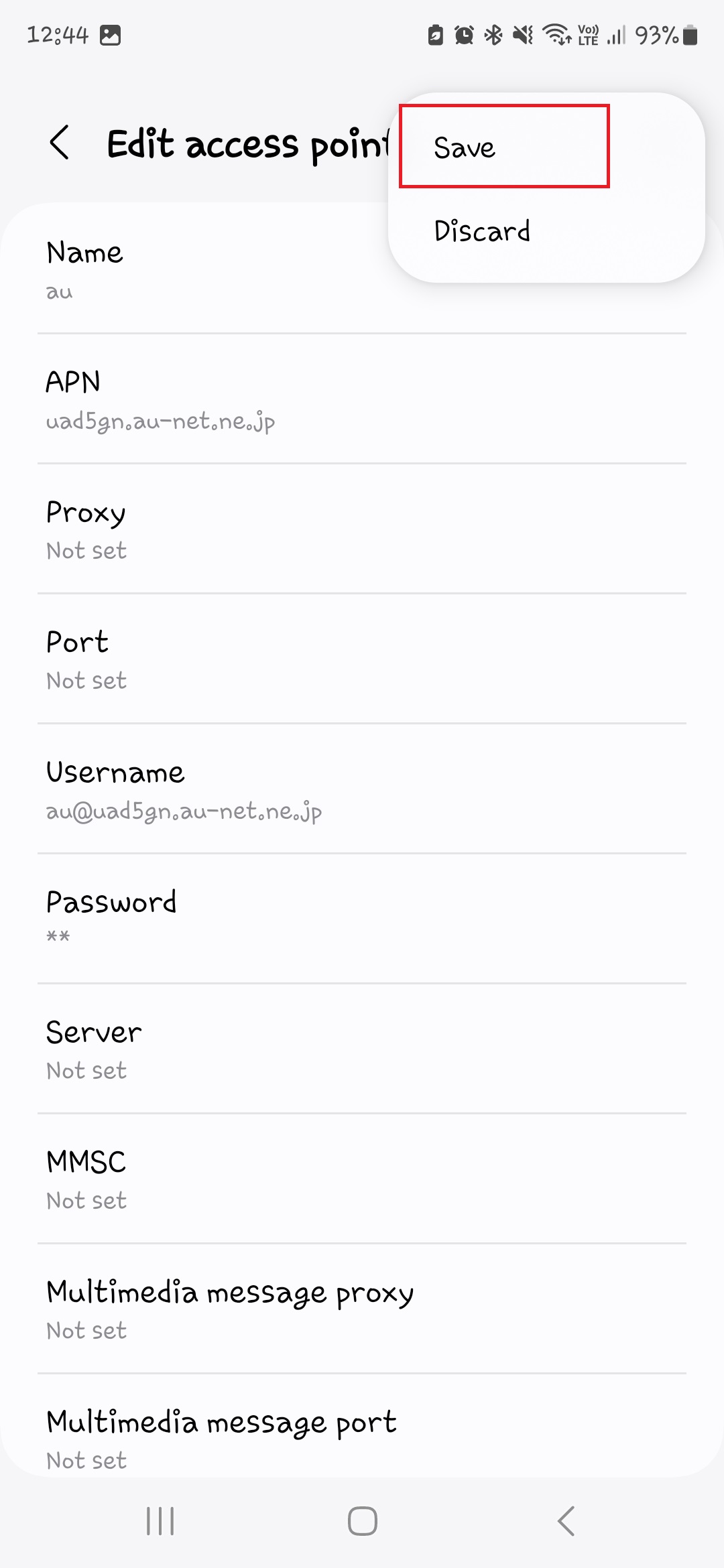
6. Once all APN information is entered, save the APN.
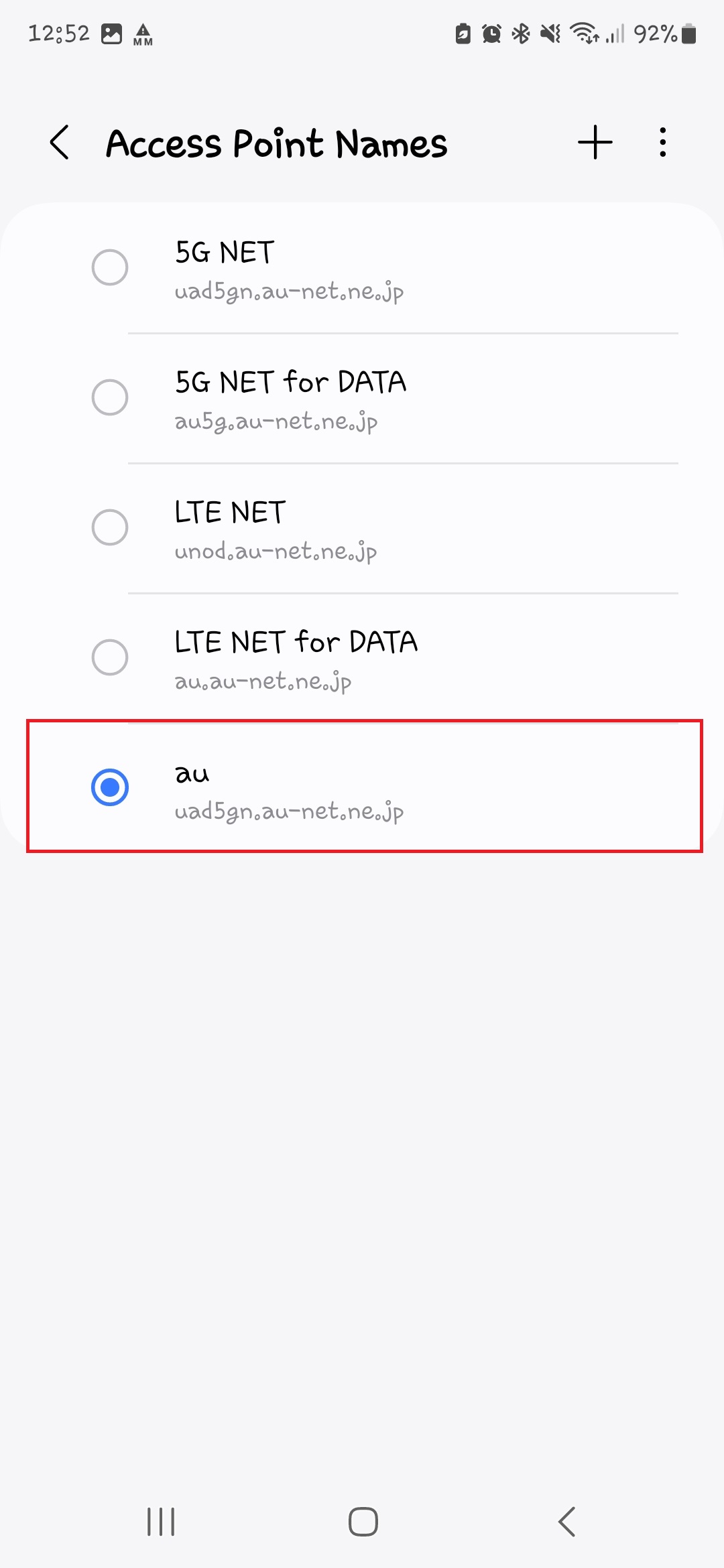
7. Select the APN you just created to start using it.